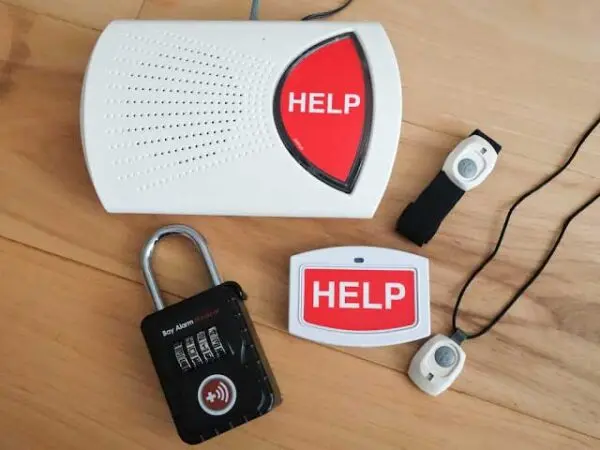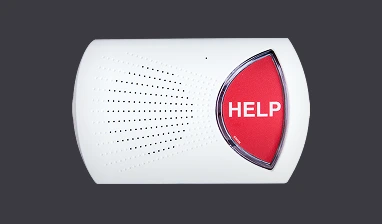

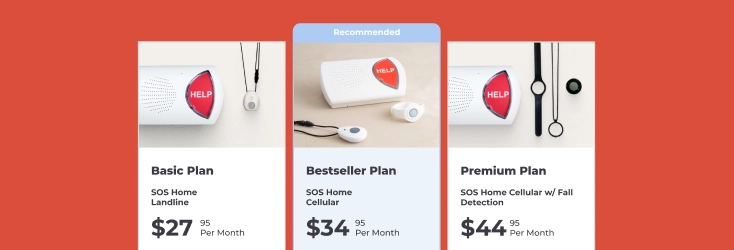




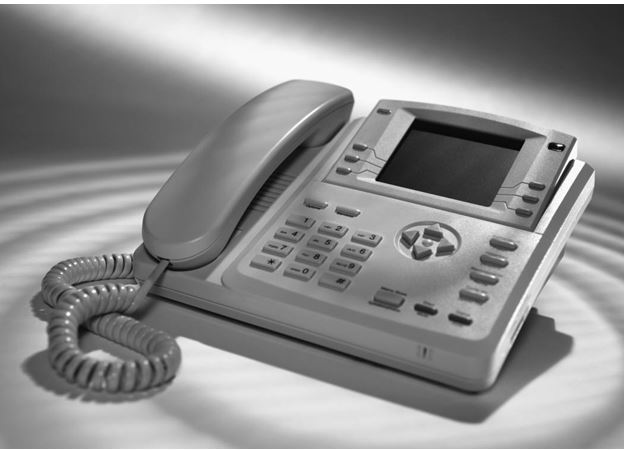
If your home telephone service includes a landline connection, you can get the Bay Alarm Medical SOS Home base station that connects to a standard landline – this page tells you what you should know about landline connections, and how to make sure your phone provider is compatible with your medical alert system. (Note that if you don’t have a landline, or don’t want to use one, the base station also comes as as a standalone cellular device with its own direct connection to the cell network.)
Here’s an overview of the main residential phone service categories and how they relate to personal emergency response systems. Scroll down to see the different phone service types Bay Alarm Medical Personal Emergency Response Systems (PERS) are compatible with, or see the list of cable providers we are compatible with (click to jump).
Traditional Landline (POTS)

POTS, or Plain Old Telephone Service, is the conventional analog landline found in many households across the United States. This type of service relies on dedicated copper wiring and does not depend on internet connectivity. Most in-home medical alert systems are designed to function seamlessly with standard landlines. Because analog lines are generally less prone to signal drops than cellular or internet-based services, they are often considered a dependable choice for emergency response equipment.
If you have any trouble setting up your home system, please call us toll-free at 1- 877-522-9633 and our tech support team will be happy to assist you.
I’m ready to place an order. Get me started!
DSL-Based Phone Service
 Bay Alarm Medical System 1: Digital Phone Service
DSL, short for Digital Subscriber Line, delivers internet service through the same physical wiring as a traditional phone line. While it allows simultaneous internet and voice service, it can sometimes introduce line noise or interference when digital devices are in use. If you have DSL service and plan to connect a medical alert unit, you will typically need a DSL filter installed on the phone jack to ensure a clear connection. This filter separates voice and data signals and helps prevent disruption. Note that this requirement applies specifically to DSL service and not to other digital phone options such as VoIP or cable-based systems. If you have DSL and you want to setup a medical alert system, you will need to get a DSL filter. We have them available for purchase on our Accessories page. You DO NOT need a DSL filter if you have VOIP or a cable bundle type of phone service (see below). You only would need a DSL filter if you specifically have DSL phone service in the home.
DSL connections are still in use in the United States, though they’ve been steadily declining as consumers switch to faster technologies like cable broadband, fiber-optic internet, and fixed wireless. About 13.4 million broadband DSL subscriptions existed in the U.S. in 2023, and this number continues to shrink as providers retire older copper infrastructure and more households upgrade to fiber or wireless broadband.
NOTE: If your phone service comes from your Internet modem, there are two ways this can happen: either through a phone jack on the modem that you plug your phone system into, or directly through wireless connection – i.e. the phone is connecting to the modem’s Wi-Fi. A wireless connection cannot be connected to the Bay Alarm Medical base station – for reliability it’s designed to plug into a jack. In this case, you should opt for the base station with its own cellular direct connection.
If you have any trouble setting up your home system, please call us toll-free at 1- 877-522-9633 and our tech support team will be happy to assist you.
I’m ready to place an order. Get me started!
VoIP or Cable Phone Service


Voice over Internet Protocol (VoIP) routes phone calls through an internet connection rather than through traditional telephone wiring. Many bundled home service packages—where television, internet, and phone operate through a single modem—fall into this category. If your home phone runs through a modem or internet gateway, it is likely a VoIP or cable-based service. When selecting a medical alert device for this setup, look for systems labeled as compatible with “digital phone service,” as these are designed to function properly with internet-based calling platforms.
If you have any trouble setting up your home system, please call us toll-free at 1- 877-522-9633 and our tech support team will be happy to assist you.
I’m ready to place an order. Get me started!
Compatible Cable Service Providers
There is no need to worry if your provider isn’t on the following list of cable providers. Simply call us toll-free at 1-877-522-9633 to check if it is compatible with our service!
- A Provider
- Advanced Cable Communications
- Alameda Power and Telecom
- Allegiance Communications
- Armstrong Group of Companies
- Astound Broadband
- AT&T UVerse
- Bend Broadband
- Bermuda CableVision
- Blue Ridge Communications
- Bresnan Communications
- Bright House Networks
- Buckeye Cable System
- Buckeye Cablevision
- Cable Systems Incorporated
- Cable One
- Cablevision
- Cebridge Connections
- Charter Communications
- Choice Cable TV
- Coast Communications Cable Co., Inc.
- Comcast Corporation
- CommuniComm Services
- Cox Communications
- Crestview Cable
- CenturyLink
- DSL: AT&T U-Verse
- Dish Network
- Everest Cable
- Erie County Cablevision
- Fairpoint Communications
- Full Channel
- Frontier Cable
- General Communications
- Graceba Total Communications
- Haefele TV Inc.
- Hometown Cable
- Insight Communications
- Jet Broadband
- Kuhn Communications
- LUS Fiber
- Lexcom Communications
- Liberty Cablevision
- Margaretville Telephone and Cable
- Massillon Cable TV
- Mediacom
- Metrocast Communications
- Mid-Missouri Telephone
- Midcontinent Communications
- Midcontinent Cablevision
- Midtel Cable TV
- Millenium Digital Media
- Muscatine Power and Water
- Nelson Cable
- New Wave Communications
- Northland Cable Television
- Patriot Media
- Qwest Communications
- RCN Corporation
- Seaport Capital
- Service Electric
- Spring City Cable
- Suddenlink Communications
- SureWest
- Susquehanna Cable
- Tele-Media Corporation
- Time Warner Cable
- Truvista Communications
- Verizon FIOS
- Viacom
- WB Cable
- WOW! Internet Cable Phone
- Wamego Television Communications
- Windstream Communications